Nonprofit donor data migration: what breaks, what costs extra, and what you cannot get back
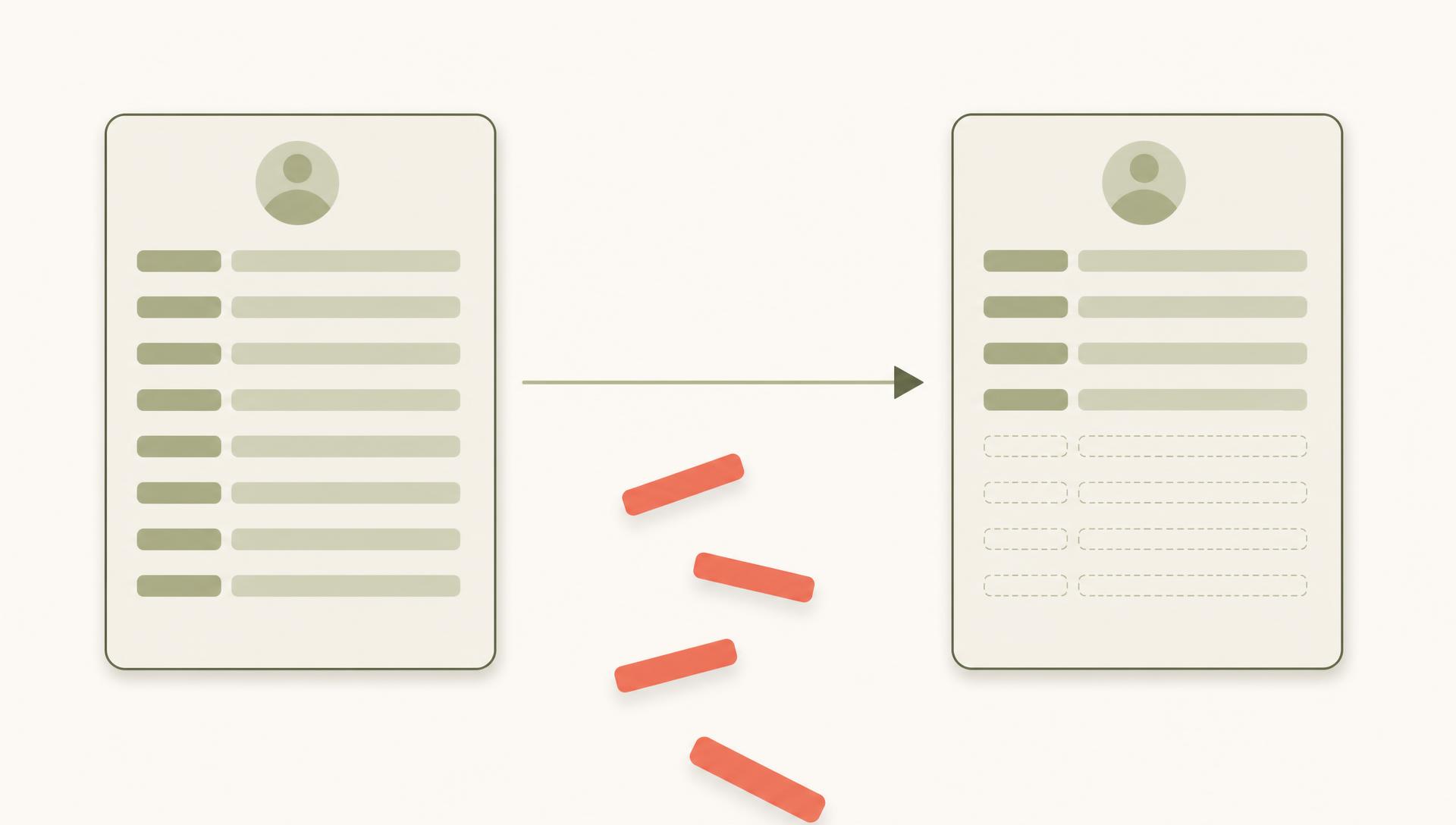
Quick answer. Names, addresses, gift amounts and dates move without incident. The structure around them often does not. At least one major CRM states in its own documentation that pledges, recurring donations and households cannot be created by import and must be entered by hand. Soft credits usually need a separate file. And recurring donors are not in your database at all, they are payment tokens at your processor.
On this page
- What moves without trouble
- What your new CRM will not import
- Do soft credits migrate? Not with the transactions
- Your recurring donors are not in your database
- The part that was never in the database
- How long a nonprofit CRM migration takes
- What it costs
- When not to migrate
- What to do instead, if the answer is not to migrate
- What to export and keep, whichever way you decide
- Sources and further reading
- Frequently asked questions
What moves without trouble
Start with the good news, because most migration writing skips it and leaves you frightened of a job that is largely routine.
Flat fields move fine. Names, addresses, email addresses, phone numbers, gift amounts, gift dates, payment method, and your campaign, fund and appeal codes. Every import template on the market accepts these. If your export is clean, this part of the migration is boring, which is exactly what you want it to be.
The trouble starts with anything that is a relationship between records rather than a value in a field.
What your new CRM will not import
Every CRM has a list of what its import tool cannot create. The lists are rarely in the sales deck, and most teams never go looking for them.
Bloomerang publishes theirs plainly, which is more than most vendors do and worth crediting. Their import documentation carries this, under a heading marked Warning:
"You cannot currently create or update pledges, pledge payments, recurring donations, tasks, or refunds using an import. These must be entered manually."
And immediately after it:
"Households cannot be created with an import, but you can use household account numbers to update the household name fields, or import to the head of household."
Six record types, entered by hand. If you run a monthly giving program and a pledge campaign, that is a staffing decision rather than a footnote, and it is much easier to plan for when you know about it in advance.
Read that as an operating fact rather than a mark against anyone. Every platform has constraints like these; Bloomerang is simply one of the few that writes them down where you can find them. Use their list as the template for the question to ask your own incoming vendor, in writing, before the contract is signed.
| Record type | Bloomerang import status, per their documentation |
|---|---|
| Constituents | Importable |
| Donations | Importable |
| Pledges | Cannot be created or updated by import. Manual entry |
| Pledge payments | Cannot be created or updated by import. Manual entry |
| Recurring donations | Cannot be created or updated by import. Manual entry |
| Tasks and refunds | Cannot be created or updated by import. Manual entry |
| Households | Cannot be created by import. Head of household workaround only |
Do soft credits migrate? Not with the transactions
A soft credit records that someone influenced or is credited with a gift they did not personally write the check for: a spouse, a family foundation, a board member who brought the donor in. It is the field that tells you who the relationship actually belongs to.
It does not travel with the transaction file.
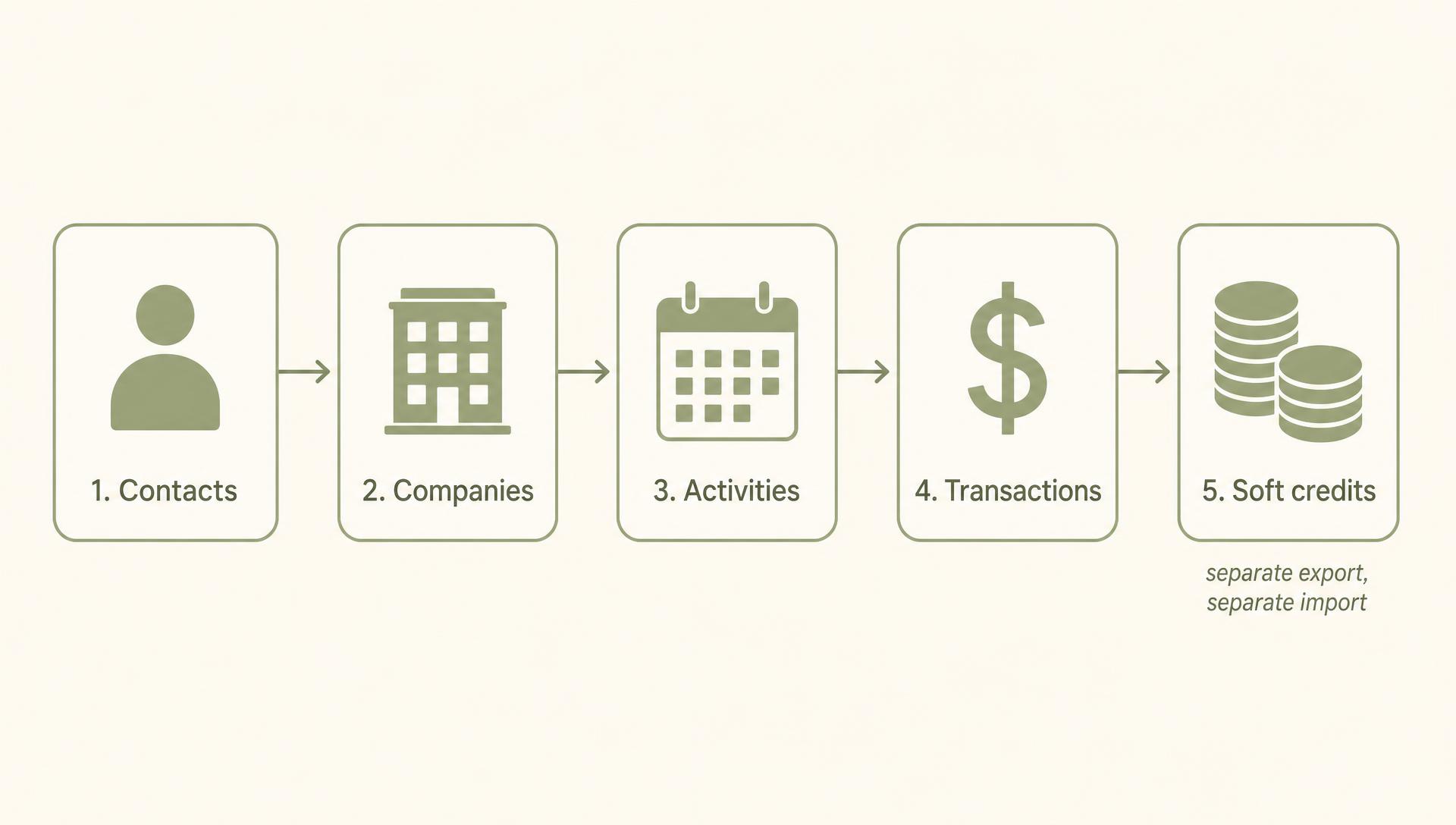
Givebutter publishes step by step migration guides for moving off Bloomerang and off Little Green Light. Both order the work the same way, and the order matters:
"Transactions should be migrated after you have migrated your contacts and before migrating soft credits."
So the sequence is contacts, then companies, then activities, then transactions, then a separate soft credit import built from a separate export. In the Givebutter flow you tag the affected transactions with an internal note, re-export them, and assemble a third file.
Soft credits are mentioned sixteen times in Givebutter's Bloomerang guide and eleven times in the Little Green Light one. Across the six most visible nonprofit migration guides currently ranking on Google, they are mentioned zero times. If your migration plan came from one of those guides, this step is not in it.
Your recurring donors are not in your database
This is the part that surprises people, and it is the part with revenue attached.
A recurring gift is not a row in your CRM. It is an authorization held by your payment processor, usually Stripe, against a stored card token. Your CRM shows you a reflection of it. Move the CRM and the reflection moves. The authorization does not.
Whether you can do that yourself depends on who holds the processor account, and it is worth finding out early.
If the Stripe account is yours, the work is yours to do.
Published migration guides describe the same route: export the Customers list from Stripe with the customer ID, name and email, reduce the file to the customer token IDs, the ones beginning cus_, and use Stripe's own Copy customers function to move them across to the destination account.
If the account sits with your provider, you will need them to run it.
That means a written request asking for the recurring plans to be sent to a named Stripe account, along with a file mapping each customer token ID back to each donor. Nothing about that is unusual and providers do it routinely, but it is a request with a queue in front of it rather than something you can complete on a Friday afternoon.
Two questions worth asking before you commit to a date: who holds the processor account, and is there any charge for the transfer. Both answers depend on your provider and your contract, so get them from your own vendor rather than from an article.
The practical consequence is worth stating plainly. Your monthly giving program is usually the most reliable income you have, and during a migration it is the part of your file you control least. Plan it first, not last, and get the token mapping in writing before you cancel anything.
The part that was never in the database
Everything above is about records that exist and may not survive the move. There is a second category, and no migration plan touches it, because a migration can only move what is in the system.
Why a donor gave the first time. Who introduced them. What stalled the cultivation in 2024. What not to raise. The email thread where they mentioned the diagnosis. The reason the last director stopped calling.
None of that is in a field, so none of it appears in an export, so none of it appears in a mapping document, so nobody notices it is gone. A migration does not destroy this context. It just makes visible that it was never captured anywhere a system could reach. We have written separately about context that was never captured and about getting it documented before someone leaves.
Being direct about our own position here: we build software for exactly this layer, so we are not neutral about it. If you want to see what that looks like in practice, it is what Gratefully does.
How long a nonprofit CRM migration takes
Google lists this as one of the most common questions about CRM migration. None of the pages currently ranking for the main nonprofit migration terms answers it. Two pages that do not rank for those terms do, and they do not agree.
| Source | What they publish |
|---|---|
| Virtuous, a nonprofit CRM vendor | Preparation and vendor selection 4 to 8 weeks, implementation 18 to 26 weeks. Roughly 5 to 8 months in total |
| MPI Resolutions, a consultancy | Smaller nonprofits 3 to 6 months, larger organizations 9 to 15 months depending on complexity |
For a small organization the two roughly agree. For a large one Virtuous tops out at eight months and MPI says fifteen, nearly double. Neither is wrong. They are describing different scopes, and neither says which.
The honest planning answer: budget from the longer number, start the recurring donor work first, and treat any vendor who gives you a single confident figure without asking about your pledge volume, soft credits and custom fields as someone who has not scoped it.
What it costs
One firm publishes real numbers, which is one more than the rest of the field. CauseHouse scopes nonprofit CRM migrations and publishes its ranges:
| Shape of migration | Range | What defines it |
|---|---|---|
| Small, straightforward | $4,000 to $12,000 | Under about 5,000 records, reasonably clean data, minimal custom fields |
| Mid-sized | $12,000 to $35,000 | Roughly 5,000 to 30,000 records, some cleanup, several integrations |
| Complex, multi-system | $40,000 to $120,000 and up | Over 30,000 records, migrating into a highly configurable destination |
Their own headline is that most migrations they scope land between $4,000 and $120,000 or more, and they name fourteen drivers behind the spread. They also include a section on where the numbers do not apply, which is the part that makes the rest credible.
Worth holding those figures next to whatever you are currently paying for software, and next to the cost of not moving at all.
Worth noting what is not published anywhere. Several firms sell nonprofit data migration as a service without putting a price or a duration on the service page, so a quote is usually the only way to find out what yours will cost. On the destination side the same pattern holds, and we have set out which alternatives publish pricing where the vendors do.
When not to migrate
Every page ranking for these searches is written by somebody who sells the migration, the destination CRM, or both. That does not make them wrong, but it does mean nobody in the results has an incentive to tell you to stay put.
Reasons to stay that are worth taking seriously:
- The complaint is reporting, not the database. A reporting or intelligence layer on top of your existing CRM is cheaper than a migration and does not put your recurring income at risk, and for Salesforce shops that can mean staying on NPSP and adding a layer.
- The complaint is that nobody enters data. A new system does not fix that, and a migration usually makes it worse for six months.
- You are inside a campaign. Running a migration alongside an appeal is how organizations lose both.
- Nobody has priced the manual re-entry. Go back to the six record types your destination will not import and cost the hours honestly before you commit.
Reasons to go anyway: the vendor is retiring the product, the costs no longer make sense, or the system genuinely cannot hold what you need it to. Those are real, and when they apply the answer is to migrate carefully rather than to avoid it.
Our interest, stated plainly: Gratefully sells a layer that sits on top of the CRM you already run, so we benefit when organizations decide not to migrate. Weigh the argument above knowing that.
What to do instead, if the answer is not to migrate
Say you work through the reasons above and land on staying. That is not the same as doing nothing, and it is worth being concrete about what the alternative actually looks like.
The complaint that sends most teams looking at new CRMs is not really about the database. It is that nobody can answer a question quickly. Who should I call today. Why did this donor stop giving. What did we promise them last year. Those are retrieval problems, and a migration does not solve them. It moves them to a nicer looking system.
An intelligence layer sits on top of the CRM you already run and answers those questions from the records, notes, emails and documents you already have. Nothing moves. Nothing is re-entered. The six record types your destination CRM would have made you type by hand stay exactly where they are, because nothing is going anywhere.
Set against the numbers earlier on this page, the arithmetic is worth doing before you commit:
| Migrating | Adding a layer | |
|---|---|---|
| Cost | $4,000 to $120,000 and up, per CauseHouse's published ranges | $399 a month billed annually for five seats, $4,788 a year |
| Time to value | 5 to 8 months by Virtuous's phases, 3 to 15 months by MPI's | Connect your existing sources, under an hour |
| Manual re-entry | Pledges, pledge payments, recurring donations, tasks, refunds, households | None. The records are not moving |
At the small end, a migration costs roughly ten months to two and a half years of an intelligence layer, before anyone has re-entered a single pledge.
That is not an argument against ever migrating. If your vendor is retiring the product or the system genuinely cannot hold what you need, migrate, and use the checklist below to do it carefully. It is an argument for being honest about which problem you are actually solving.
If you have decided to move anyway, the costed options are in our guide to eTapestry alternatives.
What to export and keep, whichever way you decide
Do this before any migration and do it even if you decide against one. Nothing here depends on which CRM you end up in.
- A full account backup or comprehensive export, held offline. Both Givebutter guides recommend requesting one from the outgoing vendor for peace of mind
- A separate soft credit export, with the related constituent names and amounts attached
- The recurring donor list with the payment processor customer token IDs, mapped to donor names
- Pledge and pledge payment history, since these are the records most likely to need manual re-entry
- Every note field, exported as text rather than left in the system, and worth reviewing before it reaches an AI tool
- Attachments and scanned documents, which are usually held separately from the record
- Your custom field definitions, not just their values, so you know what you were tracking
- A written list from your incoming vendor of what their import tool cannot create
Sources and further reading
- Bloomerang, Imports: Set Up Import Files (help.bloomerang.com) for the record types that cannot be created or updated by import, and the household limitation. Read 4 September 2026.
- Givebutter, Migrating to Givebutter from Bloomerang (help.givebutter.com) for the migration sequence, the separate soft credit import, and the payment processor token process.
- Givebutter, Migrating to Givebutter from Little Green Light (help.givebutter.com) for the Stripe Copy customers route and the soft credit export fields.
- Virtuous, The Perfect Timeline for Migrating to a New CRM (virtuous.org) for the 4 to 8 week preparation phase and the 18 to 26 week implementation phase.
- MPI Resolutions, Nonprofit CRM Migration Timeline (mpiresolutions.com) for the 3 to 6 month and 9 to 15 month ranges.
- CauseHouse, How much does a nonprofit CRM migration cost (causehouse.co) for the three cost ranges and the fourteen cost drivers.
Last updated September 4, 2026.
Frequently asked questions
What is CRM data migration?
It is the process of moving your records out of one constituent or donor database and into another: contacts, gift history, campaigns, and the relationships between them. In practice it is several separate imports run in a fixed order rather than one transfer, and some record types have to be re-entered by hand because import tools cannot create them.
What are the four types of data migration?
The four types named in enterprise IT are storage, database, application and business process migration. The phrase is generic technology vocabulary rather than a nonprofit standard, which is why searching for nonprofit database migration returns a lot of general IT results. Moving from one donor CRM to another is an application migration with a database migration inside it.
How long does a nonprofit CRM migration take?
There is no agreed answer. Virtuous, a nonprofit CRM vendor, publishes 4 to 8 weeks for preparation and vendor selection plus 18 to 26 weeks for implementation, roughly 5 to 8 months in total. MPI Resolutions, a consultancy, says smaller nonprofits may finish in 3 to 6 months while larger organizations often need 9 to 15 months. For a small organization those roughly agree. For a large one they differ by nearly double.
How much does a nonprofit CRM migration cost?
CauseHouse, which scopes these projects, publishes $4,000 to $12,000 for a small straightforward migration under about 5,000 records, $12,000 to $35,000 for a mid-sized organization, and $40,000 to $120,000 or more for a complex multi-system move. They name fourteen drivers behind the spread. Most vendors who sell migration as a service publish no price at all.
What donor data does not transfer when you change CRM?
It depends on the destination, and the destination publishes the answer. Bloomerang's import documentation states that pledges, pledge payments, recurring donations, tasks and refunds cannot be created or updated by import and must be entered manually, and that households cannot be created by import at all. Soft credits usually require a separate import file. Ask your incoming vendor for their equivalent list in writing before you sign.
Do recurring donors transfer to a new CRM?
Not automatically, because the recurring plan is not held in your CRM. It is an authorization against a stored card token at your payment processor, usually Stripe. Moving it means moving the customer tokens between processor accounts, which you may be able to do yourself or may require the outgoing vendor to action for you. Plan this first, because it is the part of your income you control least during a migration.
What is a soft credit, and does it migrate?
A soft credit records who influenced or is credited with a gift they did not personally pay for: a spouse, a family foundation, a board member who made the introduction. It does not travel with the transaction file. Published migration guides treat it as a separate export and a separate import, run after the transactions it attaches to.
Do we have to migrate to get better donor intelligence?
No. Reporting and retrieval problems are usually separate from the database problem, and an intelligence layer that reads your existing CRM, email and documents will answer most of them without moving anything. Migrate when the system itself cannot hold what you need or the vendor is retiring it. Migrating to fix reporting is an expensive way to solve the wrong problem.
Author
Muddsar Jamil, Founder, Gratefully
Muddsar Jamil is the founder of Gratefully and a 20-year Silicon Valley engineer (Adobe, Workday, SugarCRM) who spent nearly as long volunteering with Bay Area nonprofits. He built Gratefully so donor relationships survive spreadsheets, staff turnover, and guesswork. Connect on LinkedIn.
Want more insights like this? Browse all articles or get in touch with our team.